
Last November, Merina Moses from Alleppey spent ₹1.2 lakh on Amazon PPC for her organic hair oil brand. Her product was good, her reviews were strong, and her keywords were dialled in. Yet her click-through rate sat at a miserable 0.18%. The problem was not her product or her ads. It was the one thing she had never bothered to optimise her main image. A single afternoon with a product photographer and a tighter crop changed everything. Within three weeks, her CTR climbed to 0.52%, her ACoS dropped by eleven points, and her organic ranking moved from page three to the middle of page one. Amazon main image optimisation is the cheapest, fastest lever most Indian sellers never pull. This post breaks down exactly how to pull it from the compliance basics to the creative hacks that separate scroll-stoppers from scroll-past listings.
Why Your Amazon Main Image Is Your Most Powerful Click Magnet
When a shopper types a search query into Amazon, they see a wall of products. Every listing gets the same-sized thumbnail, the same font for its title, and the same layout for price and reviews. The main image is the only element where you control the visual first impression. It is, quite literally, the reason a shopper’s thumb stops moving.
What Amazon Click Through Rate Actually Measures
Your Amazon click through rate is the percentage of shoppers who see your listing (impressions) and decide to click on it. The formula is simple: clicks divided by impressions, multiplied by 100. You can track this metric in two places inside Seller Central. The Search Query Performance dashboard shows organic CTR by keyword, while the Sponsored Products Campaign Manager shows ad CTR by keyword and placement. A PPC CTR of 0.30% to 0.50% is considered decent. For organic search, 2% to 3% is a strong benchmark. Anything below these ranges signals that your listing is being seen but not chosen and the main image is almost always the first suspect.
How CTR Directly Affects Your Amazon Ranking and Ad Costs
Amazon’s A10 algorithm treats clicks as a vote of confidence. When more shoppers click on your listing for a given keyword, Amazon reads that as relevance and rewards you with higher organic placement. The same logic applies to PPC. A higher CTR tells Amazon your ad deserves better placement at a lower cost-per-click, which pulls your ACoS down without you touching a single bid.
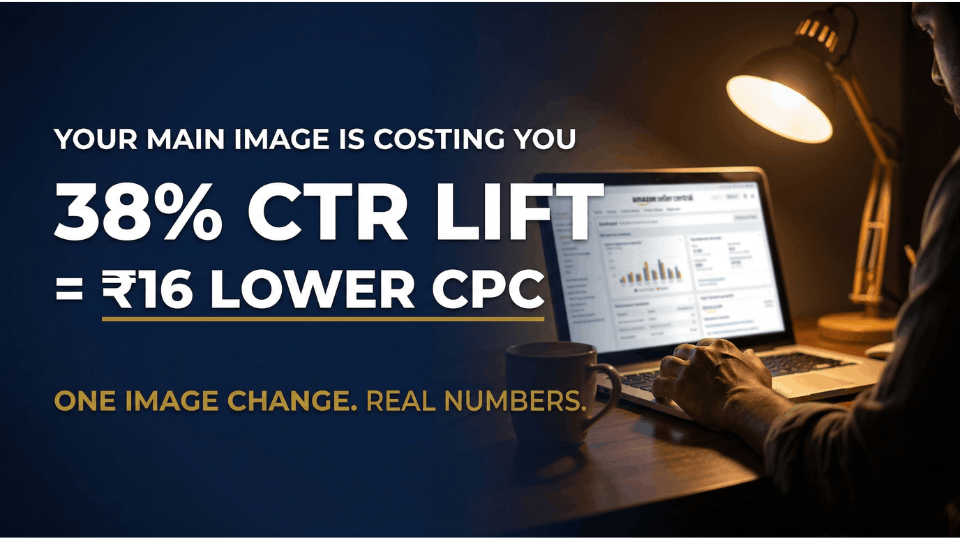
Arvind Kumar from Kochi experienced this firsthand. His stainless steel lunch box brand was bleeding ₹45 per click on broad keywords. After investing ₹3,000 in a professional reshoot of his main image — showing all four compartments fanned out instead of the box closed, his CTR rose by 38% and his average CPC dropped to ₹29 within a month.
Amazon Main Image Requirements You Must Follow in 2026
Before you get creative, you need to get compliant. Amazon’s automated scanning systems have grown sharper, and listings that break image rules face suppression often without warning.
The Official Rules White Background, 85% Fill, No Text
Your main image must sit on a pure white background with the exact RGB value of 255, 255, 255. Not off-white, not cream. The product must fill at least 85% of the frame, and the image must be a minimum of 1,000 pixels on the longest side for zoom to work, though 1,600 to 2,000 pixels is recommended. No text overlays, logos, watermarks, badges, or inset images are allowed. JPEG is Amazon’s preferred format, and the maximum file size is 10 MB. Break any of these rules and Amazon’s AI-based enforcement will flag your listing, sometimes within hours.
Amazon.in-Specific Nuances Indian Sellers Should Know
Amazon India places extra emphasis on lifestyle clarity for its diverse audience, but this applies to secondary images — not the main image. For apparel, models must be standing (no sitting or kneeling), and mannequins are not allowed in main images. Deepika Rajput from Lucknow learned this the hard way when her kurti listing was suppressed for three days because her main image showed the garment on a dress form. She lost an estimated ₹18,000 in sales during a festive sale window. The fix took ten minutes — swapping to a standing model shot she already had in her archives.
7 Amazon Main Image Hacks That Dramatically Improve Click-Through Rate
These are small, practical changes not expensive overhauls. Each hack stays within Amazon’s guidelines while giving your listing a visual edge over competitors. For a broader look at all the elements that drive clicks, our guide on proven strategies to boost your Amazon CTR covers the full picture.
Hack 1 — Use Packaging and Labels to Communicate Key Features
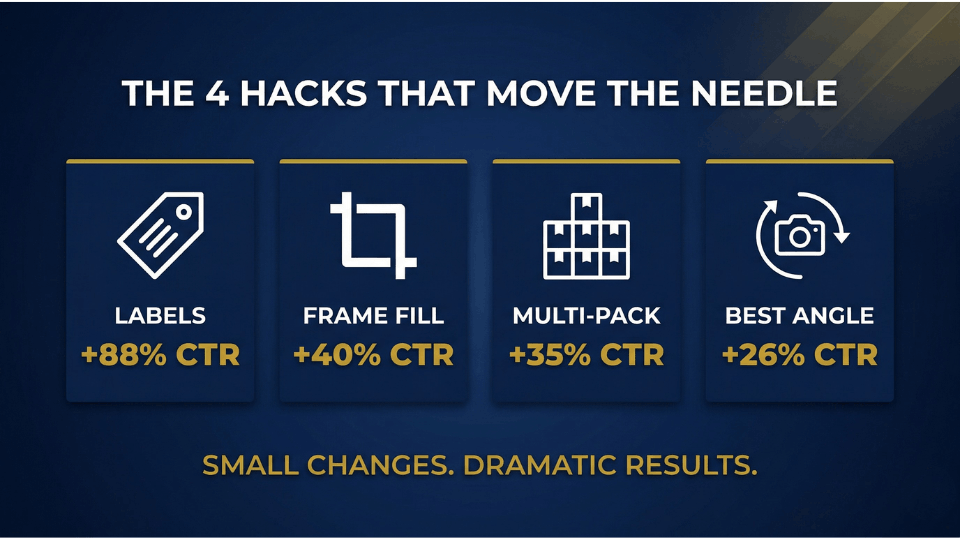
You cannot add text overlays to your main image, but you can show text that is physically on your product or packaging. This is the single most powerful Amazon main image hack available to Indian sellers. Print key selling points directly onto your label “25g Protein,” “Pack of 6,” “100% Cold-Pressed.” Rohan Deshmukh from Nassik did exactly this with his whey protein pouch. He added “Unflavoured” and a protein count to the packaging design itself. His CTR on his primary keyword jumped from 9.3% to 17.5%.
Hack 2 — Fill the Frame and Optimise for Mobile Thumbnails
Over 70% of Amazon India traffic comes from mobile devices. On a phone screen, your main image appears as a tiny thumbnail roughly 150 by 150 pixels. If your product floats in a sea of white space, it vanishes. Crop tightly so the product fills 85% to 90% of the frame. Test by shrinking your image on your phone and asking yourself: can I tell what this product is in under two seconds?
Hack 3 — Show All Items in Multi-Packs and Bundles
If you sell a set of three kitchen containers or a bundle of skincare products, show every single item. Fan them out, stack them symmetrically, or arrange them in a clean grid. Shoppers in price-sensitive markets like Amazon.in respond strongly to visible quantity, it makes the value proposition obvious at a glance.
Hack 4 — Choose the Angle That Reveals the Most Detail
A flat, front-on shot is safe but forgettable. A three-quarter angle or a slight top-down tilt reveals texture, depth, and features that a straight-on photo misses. For products with intricate details; jewellery, electronics, kitchen gadgets consider 3D renders, which give you complete control over lighting, shadows, and positioning without a physical photoshoot. Our detailed guide on better product photography for Amazon walks you through the full shooting and editing process.
Advanced Amazon Product Image Tips for Standing Out on the Search Page
Once your basics are solid, the next step is competitive differentiation. Good enough is not good enough when twenty other sellers have also read the guidelines.
Analyse Competitor Main Images Before You Shoot
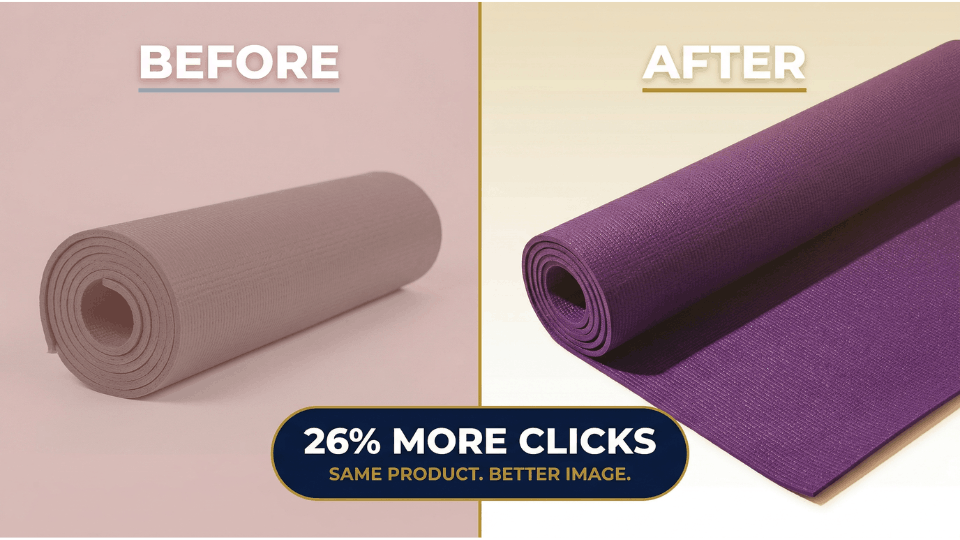
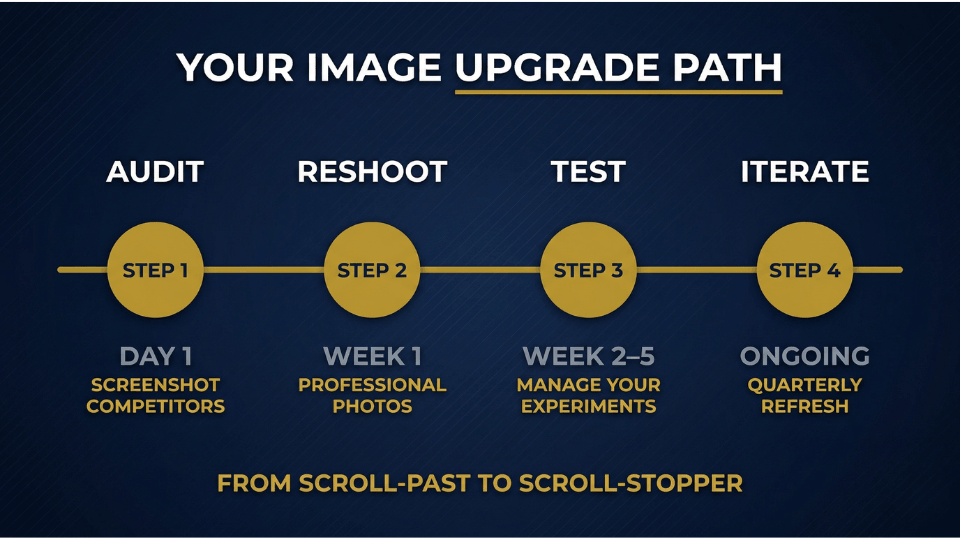
Search your top three to five keywords and screenshot the first twenty results. Look for patterns what colours dominate? What angles repeat? What packaging styles are everyone using? Then deliberately do something different. Sushma Franklin from Pune sells yoga mats on Amazon.in. She noticed every competitor used a rolled-up green mat. She switched her main image to a flat-laid purple mat showing the textured surface, and her CTR rose by 26% within two weeks.
Use Colour Contrast to Pop Against the White Background
Your image lives on a white page surrounded by other images on white pages. Products with bold, saturated colours naturally draw the eye. If your product is white or light-coloured, think about how your packaging, accessories, or even the product variant you feature first can add contrast. A bright orange label on a white box does more work than most sellers realise.
Show the Product in Context Without Breaking the Rules
A lunchbox slightly open with food inside. A backpack with a water bottle peeking out of the side pocket. These contextual cues communicate use-case instantly while keeping the white background. The trick is making the context feel like part of the product not a separate prop that Amazon’s system will flag.
How to A/B Test Your Amazon Main Image with Manage Your Experiments Tool
Guessing which image works better is a waste of time when Amazon gives you a built-in testing tool. If you want a complete walkthrough of every test type available in Seller Central, check out our guide on how to run A/B testing in Amazon Seller Central.
Step-by-Step: Setting Up a Main Image Split Test
Inside Seller Central, navigate to Brands, then select Manage Your Experiments. Click Create a New Experiment and choose the Main Image option. Search for the ASIN you want to test if it is part of a variation family, select the entire parentage as the reference ASIN. Enter a descriptive test name, set your hypothesis, choose a duration of at least four weeks, and pick a start date. Amazon will split your traffic 50/50 and track impressions, clicks, conversions, and revenue for each version.
Reading the Results and Picking the Winner
Watch three metrics closely: CTR lift, conversion rate change, and units sold per visitor. Do not cut the test short — early results can swing wildly. Once Amazon declares a statistically significant winner, you can publish the winning image with a single click. Let data, not instinct, make the final call.
What to Do If You Are Not Brand Registered
Manage Your Experiments requires Brand Registry. If you are not enrolled, you can still test manually. Swap your main image every 24 hours for two weeks, then compare your Business Reports data period-over-period. It is less precise, but it still beats guessing. Third-party tools like PickFu also let you gather consumer feedback on image variations before going live.
Want to master every element of a high-converting Amazon listing — not just the main image? Join our 3-Day Amazon Business Training and learn the complete listing optimisation framework.
Common Amazon Main Image Mistakes That Kill Your CTR
Knowing what to do is half the battle. Knowing what to stop doing is the other half.
Low-Resolution or Poorly Lit Photos
Images below 1,000 pixels disable zoom entirely, and poor lighting makes even premium products look cheap. Professional Amazon product photography in India typically costs ₹500 to ₹2,000 per image, a fraction of what most sellers spend on a single day of PPC. Sanjay Bhat from Ahmedabad was running ads at ₹800 per day while using a phone-shot image. A ₹4,000 professional reshoot of his five listing images paid for itself in lower ACoS within the first week.
Adding Text, Badges, or Promotional Graphics
Slapping a “Best Quality” badge or “50% Off” banner on your main image feels like smart marketing. It is actually a policy violation that triggers automated suppression. Amazon’s AI scanners catch text overlays reliably now — even stylised text embedded into the image. Save all promotional graphics for your secondary images and A+ Content. For tips on making the most of those secondary slots, see our guide on creating eye-catching Amazon listings.
Showing Props or Accessories Not Included in the Purchase
A phone displayed next to a phone case, a camera beside a microphone stand — if the item is not in the box, it should not be in the main image. This misleads shoppers, drives negative reviews, and increases return rates. Show only what the customer receives.
Still unsure whether your listing images meet Amazon’s latest standards? Our 3-Day Amazon Business Training walks you through a complete listing audit checklist — including image compliance.
Measuring Amazon CTR Improvement After Your Image Upgrade
Uploading a new image is not the finish line. Tracking results and iterating is what separates sellers who grow from sellers who guess.
Where to Track CTR in Seller Central
The Search Query Performance dashboard shows your organic CTR broken down by keyword — this tells you which search terms your new image is winning on. The Sponsored Products Campaign Manager shows ad CTR by keyword and placement. Compare top-of-search CTR against rest-of-search to understand where your image performs best. If possible, compare mobile versus desktop performance — mobile usually demands sharper visual differentiation.
How Often to Re-Optimise Your Main Image
Set a quarterly reminder to review your main image against competitors. Re-evaluate whenever you see CTR dipping, when a new competitor enters your niche, or before major sale events. Nisha Agarwal from Indore refreshes her home decor brand’s main images before every Diwali and Great Indian Festival season. She treats image optimisation as a recurring task, not a one-time project — and her year-over-year CTR has improved every quarter for the past eighteen months.
Frequently Asked Questions
What is a good CTR on Amazon?
For PPC ads, a CTR between 0.30% and 0.50% is considered healthy. For organic search, aim for 2% to 3%. These benchmarks vary by category, so compare against your own historical data and category averages rather than chasing a universal number.
Does the main image affect Amazon ranking?
Yes. Amazon’s algorithm treats CTR as a relevance signal. A higher CTR tells the system that shoppers find your listing compelling, which leads to improved organic placement and better ad positions at lower cost-per-click over time.
How do I A/B test my main image on Amazon?
Brand-registered sellers can use Manage Your Experiments in Seller Central. Create a new experiment, select the Main Image option, upload two versions, and let Amazon split traffic for at least four weeks before choosing the statistically significant winner.
What are the Amazon main image requirements for 2026?
Your main image must have a pure white background (RGB 255, 255, 255), fill at least 85% of the frame, and be a minimum of 1,000 pixels on the longest side. No text, logos, watermarks, or promotional graphics are allowed. JPEG format is preferred.
How do I improve click-through rate on my Amazon listing?
Start with your main image — it is the single biggest CTR driver. Ensure high resolution, tight cropping, and strong colour contrast. Use packaging labels to communicate features. Then A/B test variations and track results in Search Query Performance.
Can I add text to my Amazon main image?
No. Amazon prohibits text overlays, badges, and promotional graphics on the main image. However, text that is physically printed on your product or packaging is allowed, which is why label and packaging design matters so much.
How much does professional Amazon product photography cost in India?
Expect to pay between ₹500 and ₹2,000 per image for professional Amazon product photography in India. A full set of seven listing images typically runs ₹5,000 to ₹15,000 depending on the complexity of the shoot and the photographer’s experience.
Does main image optimisation help reduce ACoS on Amazon PPC?
Absolutely. A better main image improves CTR, which signals higher relevance to Amazon’s ad system. Higher relevance leads to better ad placements at lower cost-per-click, directly pulling your ACoS down without changing your bids.
Conclusion
Your main image works harder than any other element on your Amazon listing. It earns the click before your title gets read, before your price gets compared, and before your reviews get scanned. Every hack in this post from packaging labels to frame fill to A/B testing costs a fraction of what you spend on a single week of PPC. Yet the compounding effect of even a small CTR lift means thousands of extra clicks over a year, each one a potential customer walking through your digital door. Stop treating your main image as a checkbox and start treating it as your highest-ROI investment.
Ready to build a complete Amazon business from product selection to listing optimisation to ad strategy? Register for our 3-Day Amazon Business Training and start turning clicks into customers.
